


Snapfish: Prints + Photo Books
4.422.77K Reviews
App Specs
- Version
- 17.13.0
- Updated On
- License
- Free
- Downloads
- 5,000,000+
- Developer
- Snapfish Mobile
- Categories
- Photography
- Platform
- Android, iOS
Screenshots
 Analysis by AppCompare
I downloaded Snapfish: Prints + Photo Books expecting a straightforward way to turn phone pictures into physical keepsakes, and that is still the clearest way to understand it. This is a free photography app from Snapfish Mobile that connects the pictures on your device with printed products such as photo books, tiles, mugs, cards, and calendars. Its strongest idea is not simply storing images; it is helping you move from a camera roll full of forgotten moments to something you can hold or give away.
That distinction matters. Many photo apps stop at editing, cloud backup, or social sharing. Snapfish sits closer to a mobile photo-printing service, so I judged it by a different standard: how easily it helps me choose images, arrange them into a product, and decide whether the finished result is worth paying for. The app itself costs nothing to install, while the physical items are the part of the experience that can involve a purchase. That makes it easy to explore, but not every useful action ends with a free result.
How Snapfish turns a camera roll into something physical
I find the most useful way to approach this section is to think about the decision before the design: which photos deserve to leave the camera roll, and what would make them meaningful in a physical format? That small pause can save time and help avoid an overfilled project. From there, I’ll look at how the app’s current version fits into an established printing workflow.
A practical starting point for everyday photos
The app is most useful when I already know why I want to print. A holiday album, a child’s first school year, a small family gift, or a calendar for relatives gives the project a clear shape. Without that purpose, browsing a large phone library can become surprisingly tiring. I found that choosing a small group of pictures before beginning made the design process more enjoyable than trying to make every image fit.
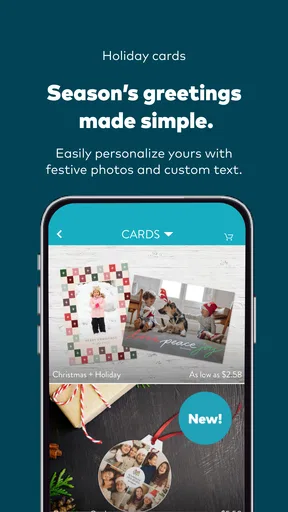
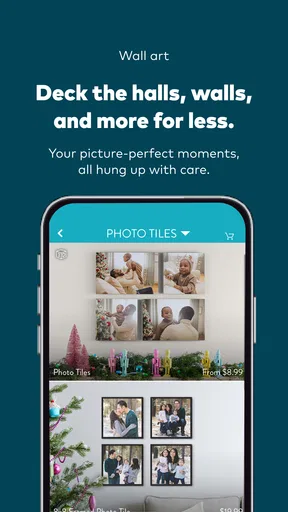
This is where the app differs from a normal gallery. A gallery is excellent for viewing and organizing pictures, but it does not push me toward a finished object. Snapfish gives the images a destination. The choice between a photo book, tile, mug, card, or calendar also changes how I select photographs. A book can tell a sequence; a card needs one strong image; a calendar asks me to think across several months; a tile works better when one picture can stand on its own.
I particularly like that this range makes the app useful for more than major celebrations. A small collection of pictures from an ordinary weekend can become a personal gift, while a larger set can become a chronological album. The app encourages that kind of practical creativity without requiring me to learn traditional desktop publishing software.
What the free app gives you, and where spending begins
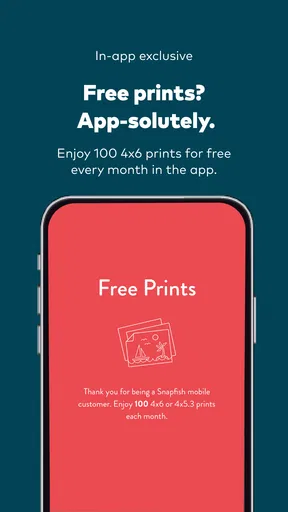
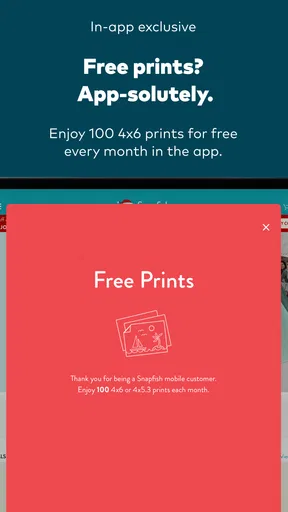
The verified offer includes 100 pictures each month at no charge, which is the most important cost detail to understand before starting. That free access makes the app worth trying even if I am undecided about ordering a larger product. I can explore the workflow and consider whether printing suits my needs without paying simply to install or open the app.
Worth Reading Before You Choose

EA SPORTS FC Mobile 26 Is a Bigger Football Game, but It Takes Time

Flipboard Shows What News Apps Must Do Beyond the Feed

Switching to Android Auto Means Rethinking Your Driving Routine

Google Calendar Makes a Crowded Week Easier to Manage

Ludo King Makes the Most of the Minutes Between Plans

Baby Panda World Brings Quick Play to Modern Phones, but Its Game Library Feels Busy
Still, free picture access should not be confused with every possible product being free. Photo gifts, books, tiles, mugs, cards, and calendars are physical items, so their value has to be judged separately from the app’s download price. I would treat the monthly picture offer as a useful entry point and then check the current order total carefully before confirming anything. The final value depends on what I choose to make, not just on the fact that the app is free.
This is a sensible arrangement for occasional users. Someone who wants a handful of prints can begin with a low-commitment option, while someone planning a substantial book can use the app as a design tool before deciding whether the finished item justifies the expense. I appreciate that separation because it avoids pretending that a free app automatically means a free creative project.
Designing a project without losing the personal story
The best results come from treating the app as an editor rather than a dumping ground. I would first remove near-duplicates, blurry shots, screenshots, and pictures with distracting backgrounds. Then I would arrange the remaining images according to a simple story: beginning, middle, and ending for a trip; seasons for a year; or small milestones for a family album.
One useful habit is to reserve a few images for breathing room. Filling every available space may seem efficient, but a repeated pattern of crowded pages can make a book feel like a phone backup. A stronger photograph often deserves more attention than several weaker ones. The same principle applies to cards and tiles: choosing one clear subject is usually more effective than trying to show everything at once.
I also recommend checking crops with care. A phone image may look fine in a portrait preview but lose a face when placed in a different shape. Before ordering, I would inspect every important person near an edge and look for text, hands, or objects that could be cut off. This is a small step, but it is one of the most useful ways to reduce disappointment in any mobile printing workflow.
Three workflows that make the app more useful
My first practical workflow is the “small test” approach. Instead of beginning with a large, emotionally important project, I would start with a modest set of pictures. That lets me learn how selection, layout, and review work on my device. It also helps me decide whether the app’s editing controls feel precise enough for the kind of product I want.
The second is to create a project around a recipient rather than around a date. For example, I might choose pictures that remind a grandparent of shared moments, or images that fit a friend’s new home. This produces a more thoughtful result than selecting photographs merely because they were taken recently. It also helps me choose the right product: a calendar, card, mug, tile, or book can each carry a different kind of message.
The third is to separate image correction from product design. I would make sure important pictures are already cropped and adjusted in a familiar photo editor before importing them, especially if I care about exact color or framing. Snapfish is convenient for turning images into products, but a dedicated editing app may offer more control for difficult lighting, skin tones, or detailed retouching.
How it compares with ordinary alternatives
Compared with a local print shop, Snapfish is more convenient when I want to build a personalized item from the sofa. I can prepare the project from my phone instead of transferring files to a computer or carrying a memory card somewhere. The trade-off is that a local shop may be better when I need immediate help, want to inspect paper and finishes in person, or have a complicated request that benefits from a conversation.
Compared with a cloud photo service, Snapfish has a more direct path from image selection to a physical gift. A cloud service may be better for backup, searching, and keeping a large library synchronized across devices. Snapfish is better when the goal is not simply to preserve the original file but to turn selected images into an object.
Compared with a full desktop design program, the app is easier to approach but less suitable for demanding control. I would choose a desktop tool for exact typography, layered layouts, extensive retouching, or a professional presentation. I would choose Snapfish when speed, phone-based selection, and a familiar gift format matter more than pixel-level control.
Where the experience can become frustrating
The main weakness is the same feature that makes the app approachable: mobile convenience can become limiting on a small screen. Selecting many images, checking several pages, and reviewing crops requires patience. A project that feels simple with ten photographs may become tedious with a much larger collection, particularly if I am trying to compare similar images one by one.
Another trade-off is creative control. People who enjoy carefully building a layout may find a mobile product workflow restrictive compared with professional design software. The app is aimed at helping me complete a physical project, not at replacing every tool used by a photographer or graphic designer. I would not choose it for a portfolio book where exact color management and precise page composition are the main priorities.
There is also a psychological trap in the product variety. Seeing several possible formats can encourage impulse projects before I have decided what the pictures are meant to say. I get better value when I select the story first and the product second. Otherwise, I may spend time decorating an item that looks attractive in the preview but has little personal meaning.
Who will get the most value from it?
I think the app is a strong fit for families, travelers, and anyone whose best photographs are trapped in a phone. It is especially useful for people who want a simple route from digital memories to gifts without learning complicated design software. The free installation and monthly picture allowance make it approachable for casual experimentation, while the product range gives regular users room to create different kinds of keepsakes.
It also suits people who prefer a guided project. If I know I want a calendar for the coming year or a book from a trip, the app gives me a practical framework. That structure can be more helpful than opening a blank design canvas and having to decide everything myself.
I would be more cautious about recommending it to professional photographers, serious scrapbookers, or users who need extensive control over color and layout. Those users may prefer a specialist printing workflow or desktop software. I would also suggest skipping it if the only thing someone wants is long-term photo backup; a dedicated storage service is a more natural choice for that job.
Everyday scenario: making a useful family gift
Imagine returning from a family visit with hundreds of phone pictures. Rather than ordering everything, I would create a shortlist of the clearest portraits, candid moments, and a few details that capture the place. I would remove duplicates, place the images in a simple sequence, and decide whether the recipient would appreciate a book, a card, or a single decorative item more.
Before ordering, I would inspect faces near the edges, check that the sequence makes sense, and confirm the purchase summary. The monthly free picture allowance could make a small print-focused project attractive, but a larger personalized product should be considered as a separate paid purchase. That distinction keeps the budget realistic and prevents the free offer from becoming an excuse to order something I do not actually need.
The result can be more meaningful than sending a folder of images. A physical object gives the recipient a ready-made memory instead of another digital task. That is the app’s clearest emotional strength: it lowers the effort between “we should print these someday” and an actual present.
Compatibility and basic expectations
The app is rated for Everyone, so its intended audience is broad. It was released on April 13, 2012, and the current version is 17.13.0, with Android support starting at version 8.0. Those details suggest that users should check their device before planning a project, particularly if they use an older phone or tablet.
Snapfish Mobile is the developer, and the app has built a substantial audience: it has passed 5 million installs, with an average rating of 4.4 from about 99 thousand ratings and roughly 23 thousand written reviews. I see that as evidence that the basic concept has broad appeal, though popularity does not remove the need to inspect a project carefully before purchase.
My verdict on value
I would recommend Snapfish to a friend who wants to print selected phone photos or make a personalized gift without dealing with a computer. The free app and the monthly allowance for pictures make trying the service relatively easy, while the range of physical formats gives it more flexibility than a basic print-ordering tool.
My recommendation comes with a clear condition: use it for convenience and personal projects, not for professional-level control. Prepare the images first, choose a product that matches the story, inspect crops, and separate the free picture offer from the cost of physical goods. Those habits make the experience feel deliberate rather than impulsive.
My final view: Snapfish is worth installing if your phone contains memories you genuinely want to hold, display, or give away. I would skip it for cloud backup, advanced photo editing, or exacting print production, where another type of app is better suited. For everyday photo gifts and approachable printing, however, it offers a useful bridge between a crowded camera roll and something real.
Pros
- Easy ordering of prints
- cards
- and photo books from your phone.
- Frequent promotions can make larger print orders more affordable.
- Multiple pickup and delivery options are available in supported areas.
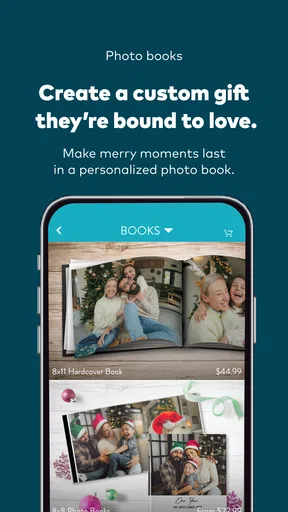
- Photo book templates help create gifts without advanced design skills.
- Supports common photo formats from your device and online accounts.
Cons
- Print quality can vary depending on the source photo and selected product.
- Shipping costs may reduce the value of small orders.
- Some premium products have relatively long production times.
- The app may request extensive photo and account permissions.
- Promotional pricing often requires codes or minimum order values.
FAQs for Snapfish: Prints + Photo Books
What is Snapfish: Prints + Photo Books used for?
Snapfish is a photo-printing and personalized keepsake app that lets you upload pictures from your phone, social media accounts, or cloud storage and order physical products. Depending on availability in your region, you can create standard prints, photo books, cards, calendars, posters, gifts, and other customized items. The app is mainly designed for turning digital photos into delivered products rather than editing images extensively.
How do I create and order a photo book in Snapfish?
To create a photo book, select the photo-book option, choose a size and style, and upload the images you want to include. Snapfish normally provides layouts and themes that can be customized by changing page designs, adding text, rearranging photos, or selecting different covers. Before placing the order, carefully review every page, image crop, spelling detail, shipping option, and total price because personalized products may be difficult to change afterward.
Does Snapfish offer free prints or promotional discounts?
Snapfish frequently advertises promotional offers, such as discounted prints, reduced prices on photo books, free-print allowances, or seasonal deals. However, promotions can vary by country, account, product, and expiration date, and shipping or handling charges may still apply. Check the offer’s conditions inside the app before ordering, including minimum quantities, eligible products, required coupon codes, and whether the discount applies automatically at checkout.
How long does Snapfish delivery take, and can I track my order?
Delivery time depends on the product, production workload, destination, and shipping method selected at checkout. Standard photo prints may be processed differently from photo books, canvases, or personalized gifts, which can require additional production time. The app or confirmation email should provide an estimated delivery window and, where available, tracking information. Because estimates are not guarantees, allow extra time for holidays or large orders.
Is Snapfish safe to use, and what happens to my uploaded photos?
Snapfish requires access to selected photos so you can design and order products, but you should review the permission request and privacy policy before uploading personal images. Use a strong, unique password and avoid sharing account credentials. Uploaded photos are generally used to create your chosen products and manage your account, although storage, retention, and third-party service practices can change. Review the current privacy settings and policy if image privacy is important to you.


